A centralized system for warehouse operations
Building a centralized system so that everyone could work from the same information.
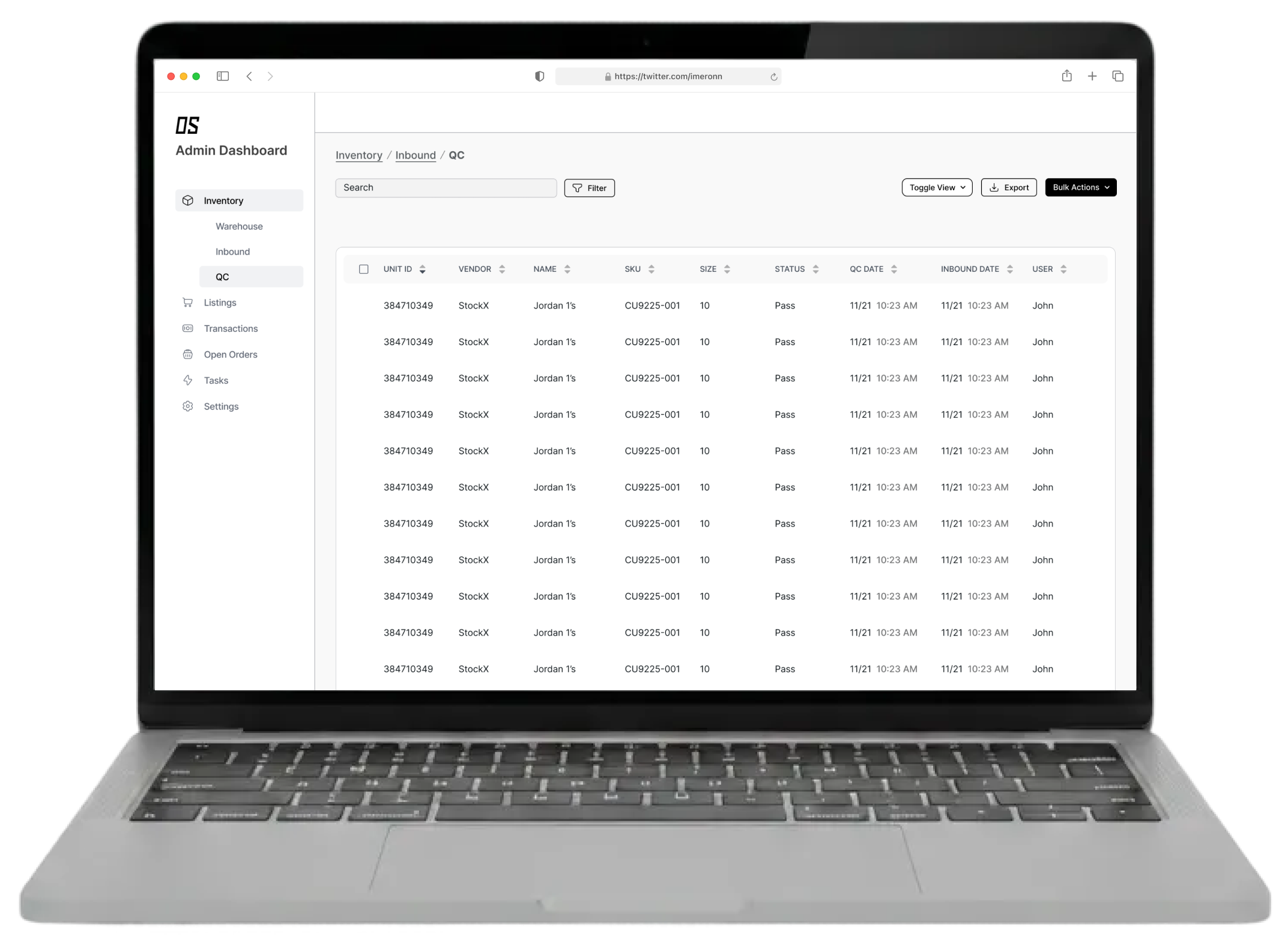
Client
- Oscar Soles
Role
- User Research
- Content Strategy
- Interactive Prototyping
- Usability Testing
- Interface Design
Project team
- Product Manager
- Engineers
tl;dr
- Replaced disconnected spreadsheets with a centralized internal system
- Aligned supply, warehouse, and QC workflows
- Reduced handoff errors and improved inventory visibility at scale
Problem
Oscar Soles’ processes were spread across disconnected spreadsheets, making it difficult for different teams to track inventory reliably.
Because each team maintained its own spreadsheets, inventory data was often duplicated, out of sync, or lost altogether, creating significant room for error. When market value calculations failed, the spreadsheets became unusable, disrupting workflows until issues were identified and fixed.
Contexts & inputs
Guided by existing project requirements and day-to-day operational needs, I focused on creating a shared source of truth across departments.
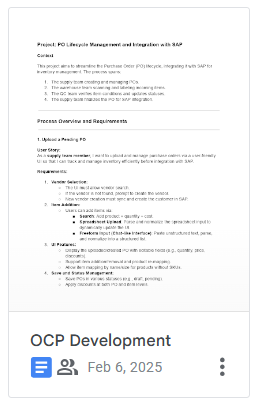
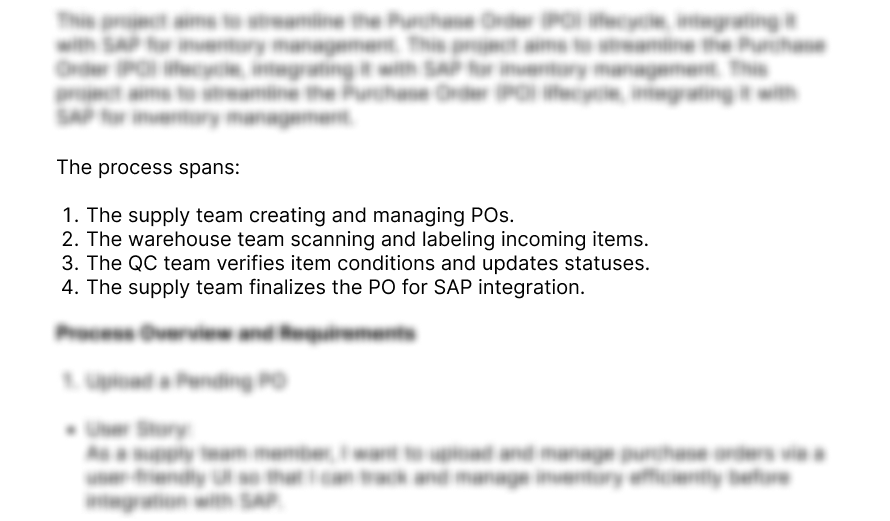
** Early requirements and process notes used to ground the system
workflow mapping
The complexity of the process became clear by mapping how products moved through the system from intake to final approval.
Mapping the end-to-end flow helped clarify ownership at each stage and identify where handoffs, status changes, and approvals needed to occur across teams.
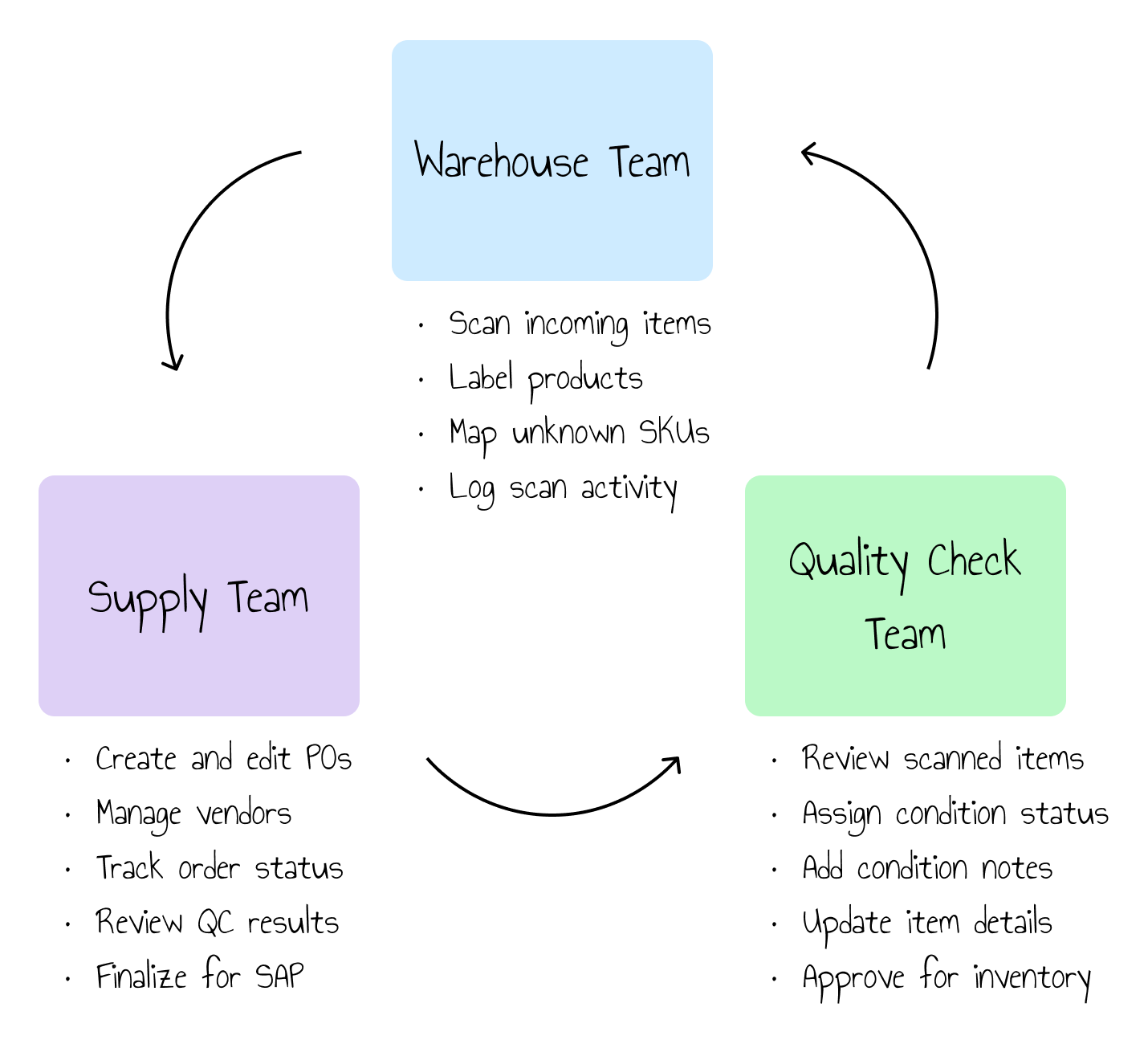
**End-to-end product flow showing how ownership and responsibilities moved across supply, warehouse, and QC.
system consistency
Supporting multiple teams required a shared foundation of core system components
Important elements such as data tables, status indicators, and action buttons were designed to behave consistently across workflows, ensuring that updates and actions felt familiar regardless of department.
Table Headers
outbound
Vendor
Date
QTY
Status
Type
Inbound
date
Reference number
vendor
QTY
user
quality check
UNIT ID

Vendor
Name
SKU
Size
Status
Inbound date
User
QC Date
**Shared table structures designed to support different workflows while maintaining consistent data.
Bulk Actions
Outbound
Bulk Actions

Edit

Inbound
Bulk Actions
Print Manifest
Print Labels
Bulk Scan
Cancel Orders
Fulfill
QC
Bulk Actions
Reject
Accept
**Bulk actions enabled teams to complete high-volume tasks efficiently without leaving the table view.
role-based workflows
While the data stayed consistent, each team needed workflows tailored to how they actually worked
Although all teams worked from the same underlying system, their day-to-day needs differed significantly. Warehouse users required high-throughput scanning and bulk actions, QC teams needed detailed condition review and status updates, and supply teams focused on approvals and exception handling.
To support these needs, I designed:
- high-throughput scanning and bulk action screens for warehouse teams
- detailed review and condition assignment views for quality checks
and
- approval-focused dashboards for supply teams to monitor status and resolve exceptions.
creating a new order

**Role-specific screens tailored to each team’s operational needs while relying on the same underlying system.
outcome & reflection
The system replaced fragile spreadsheets with a scalable operational foundation
By centralizing inventory and workflows into a single system, teams gained clearer visibility, fewer handoff errors, and more reliable day-to-day operations. More importantly, the platform established a foundation that could evolve alongside the business as volume and complexity increased.

Related Notes
Article
Designing for the people who actually use the tool
A reflection on what I learned by sitting with real users, watching their workflows, and designing around how the system is actually used day to day.
View More
A centralized system for warehouse operations
Building a centralized system so that everyone could work from the same information.
Client
- Oscar Soles
Role
- User Research
- Content Strategy
- Interactive Prototyping
- Usability Testing
- Interface Design
Project team
- Product Manager
- Engineers
tl;dr
- Replaced disconnected spreadsheets with a centralized internal system
- Aligned supply, warehouse, and QC workflows
- Reduced handoff errors and improved inventory visibility at scale
Problem
Oscar Soles’ processes were spread across disconnected spreadsheets, making it difficult for different teams to track inventory reliably.
Because each team maintained its own spreadsheets, inventory data was often duplicated, out of sync, or lost altogether, creating significant room for error. When market value calculations failed, the spreadsheets became unusable, disrupting workflows until issues were identified and fixed.
Contexts & inputs
Guided by existing project requirements and day-to-day operational needs, I focused on creating a shared source of truth across departments.
** Early requirements and process notes used to ground the system
workflow mapping
The complexity of the process became clear by mapping how products moved through the system from intake to final approval.
Mapping the end-to-end flow helped clarify ownership at each stage and identify where handoffs, status changes, and approvals needed to occur across teams.
**End-to-end product flow showing how ownership and responsibilities moved across supply, warehouse, and QC.
system consistency
Supporting multiple teams required a shared foundation of core system components
Important elements such as data tables, status indicators, and action buttons were designed to behave consistently across workflows, ensuring that updates and actions felt familiar regardless of department.
Table Headers
outbound
Vendor
Date
QTY
Status
Type
Inbound
date
Reference number
vendor
QTY
user
quality check
UNIT ID
Vendor
Name
SKU
Size
Status
Inbound date
User
QC Date
**Shared table structures designed to support different workflows while maintaining consistent data.
Bulk Actions
Outbound
Bulk Actions
Edit
Inbound
Bulk Actions
Print Manifest
Print Labels
Bulk Scan
Cancel Orders
Fulfill
QC
Bulk Actions
Reject
Accept
**Bulk actions enabled teams to complete high-volume tasks efficiently without leaving the table view.
role-based workflows
While the data stayed consistent, each team needed workflows tailored to how they actually worked
Although all teams worked from the same underlying system, their day-to-day needs differed significantly. Warehouse users required high-throughput scanning and bulk actions, QC teams needed detailed condition review and status updates, and supply teams focused on approvals and exception handling.
To support these needs, I designed:
- high-throughput scanning and bulk action screens for warehouse teams
- detailed review and condition assignment views for quality checks
and
- approval-focused dashboards for supply teams to monitor status and resolve exceptions.
creating a new order
**Role-specific screens tailored to each team’s operational needs while relying on the same underlying system.
outcome & reflection
The system replaced fragile spreadsheets with a scalable operational foundation
By centralizing inventory and workflows into a single system, teams gained clearer visibility, fewer handoff errors, and more reliable day-to-day operations. More importantly, the platform established a foundation that could evolve alongside the business as volume and complexity increased.

Related Notes
Article
Designing for the people who actually use the tool
A reflection on what I learned by sitting with real users, watching their workflows, and designing around how the system is actually used day to day.
View More
Home
A centralized system for warehouse operations
Building a centralized system so that everyone could work from the same information.
Client
- Oscar Soles
Role
- User Research
- Content Strategy
- Interactive Prototyping
- Usability Testing
- Interface Design
Project team
- Product Manager
- Engineers
tl;dr
- Replaced disconnected spreadsheets with a centralized internal system
- Aligned supply, warehouse, and QC workflows
- Reduced handoff errors and improved inventory visibility at scale
Problem
Oscar Soles’ processes were spread across disconnected spreadsheets, making it difficult for different teams to track inventory reliably.
Because each team maintained its own spreadsheets, inventory data was often duplicated, out of sync, or lost altogether, creating significant room for error. When market value calculations failed, the spreadsheets became unusable, disrupting workflows until issues were identified and fixed.
Contexts & inputs
Guided by existing project requirements and day-to-day operational needs, I focused on creating a shared source of truth across departments.
** Early requirements and process notes used to ground the system
workflow mapping
The complexity of the process became clear by mapping how products moved through the system from intake to final approval.
Mapping the end-to-end flow helped clarify ownership at each stage and identify where handoffs, status changes, and approvals needed to occur across teams.
**End-to-end product flow showing how ownership and responsibilities moved across supply, warehouse, and QC.
system foundation
Supporting multiple teams required a shared foundation of core system components
Important elements such as data tables, status indicators, and action buttons were designed to behave consistently across workflows, ensuring that updates and actions felt familiar regardless of department.
Table Headers
outbound
Vendor
Date
QTY
Status
Type
Inbound
date
Reference number
vendor
QTY
user
quality check
UNIT ID
Vendor
Name
SKU
Size
Status
Inbound date
User
QC Date
**Shared table structures designed to support different workflows while maintaining consistent data.
Bulk Actions
Outbound
Bulk Actions
Edit
Inbound
Bulk Actions
Print Manifest
Print Labels
Bulk Scan
Cancel Orders
Fulfill
QC
Bulk Actions
Reject
Accept
**Bulk actions enabled teams to complete high-volume tasks efficiently without leaving the table view.
role-based workflows
While the data stayed consistent, each team needed workflows tailored to how they actually worked
Although all teams worked from the same underlying system, their day-to-day needs differed significantly. Warehouse users required high-throughput scanning and bulk actions, QC teams needed detailed condition review and status updates, and supply teams focused on approvals and exception handling.
To support these needs, I designed:
- high-throughput scanning and bulk action screens for warehouse teams
- detailed review and condition assignment views for quality checks
and
- approval-focused dashboards for supply teams to monitor status and resolve exceptions.
creating a new order
**Role-specific screens tailored to each team’s operational needs while relying on the same underlying system.
outcome & reflection
The system replaced fragile spreadsheets with a scalable operational foundation
By centralizing inventory and workflows into a single system, teams gained clearer visibility, fewer handoff errors, and more reliable day-to-day operations. More importantly, the platform established a foundation that could evolve alongside the business as volume and complexity increased.

Related Notes
Article
Designing for the people who actually use the tool
A reflection on what I learned by sitting with real users, watching their workflows, and designing around how the system is actually used day to day.
View More
Other Work
case study
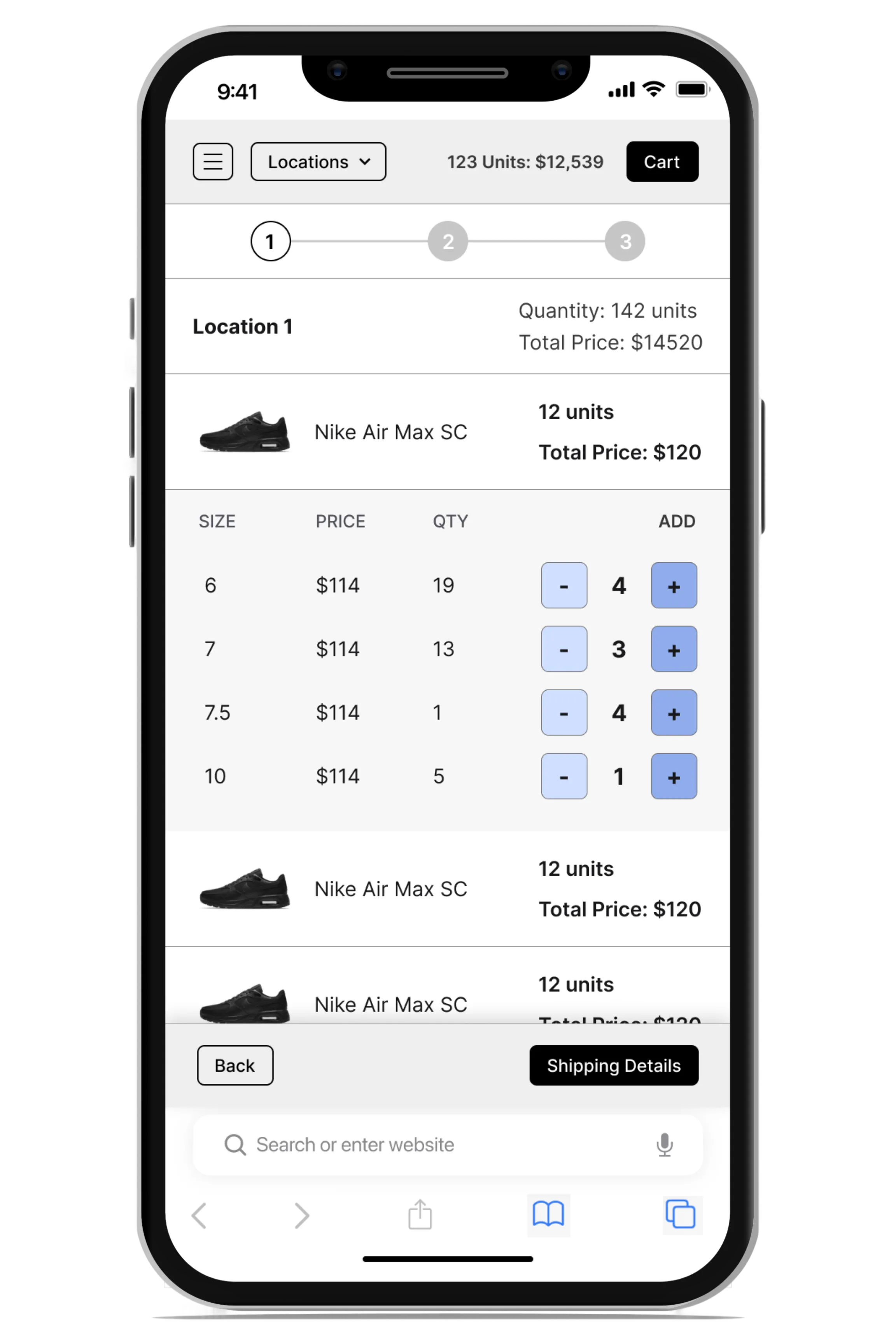

Mobile-First Wholesale Ordering
A fast, repeat-focused wholesale ordering experience built for small retailers.
View More